
Table of Contents
Checking your FAB balance is easy. First Abu Dhabi Bank (FAB) offers several ways to check your balance, including FAB Mobile, Online Banking, ATMs, customer service, and branches. The method you should use depends on your FAB product. A regular bank account, credit card, debit card, and Ratibi salary card may have different balance-check options. This guide explains how to check your FAB account balance, FAB credit card balance, Ratibi balance, and prepaid card balance. It also explains how to check your balance online, through the mobile app, at an ATM, and through customer support.
FAB Balance Check Methods
| Method | Best For | What You Can Check |
| FAB Mobile | Bank accounts and cards | Account and card balances and transactions |
| FAB Online Banking | Bank accounts and credit cards | Balances and transaction details |
| FAB ATM | Cardholders | Available ATM account services |
| FAB Customer Service | Account and card support | Account-related assistance |
| FAB Branch | Customers who need in-person help | Account and banking services |
| Ratibi Balance Enquiry | Ratibi cardholders | Ratibi prepaid card balance |
How to Check FAB Bank Account Balance
If you have a FAB current or savings account, you can check your balance through FAB Mobile or Online Banking. FAB also provides other banking channels if you cannot access digital banking. FAB currently lists balance and transaction viewing among its digital banking services.
Check FAB Balance Using FAB Mobile
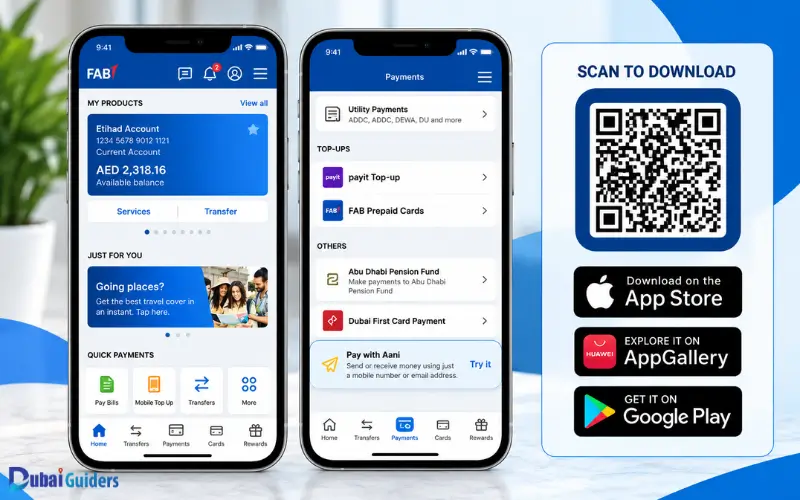
FAB Mobile is the bank’s official mobile banking app. Customers can use it to manage accounts, check balances, manage debit and credit cards, make payments, and review transactions.
Follow these steps:
- Open the FAB Mobile app.
- Log in to your account.
- Open the account section.
- Select the account you want to check.
- View the balance shown on the screen.
You can also open your transaction history to see recent payments, transfers, deposits, and other activity.
What You Need to Use FAB Mobile
You need a compatible smartphone, an internet connection, and access to FAB Mobile.
FAB’s current registration process may require your Emirates ID and a video selfie. Existing FAB Online Banking customers must complete the FAB Mobile registration process rather than being registered automatically.
FAB allows customers to register FAB Mobile on up to three devices.
How to Check FAB Balance Online
You can check your FAB account balance through Online Banking using a web browser.
Steps to Check FAB Balance Through Online Banking
- Open the official FAB website.
- Go to the Online Banking login page.
- Enter your login details.
- Complete the required security check.
- Open your account information.
- Check the balance shown on the screen.
FAB also lists account and transaction services through its digital banking channels. The layout and names of options may change when FAB updates its banking platform.
Can You Check Your Credit Card Balance Online?
Yes. FAB provides digital access to credit card information. You can use Online Banking to view your card information and transactions. For specific credit card services, FAB’s current instructions use the Credit Cards section within Online Banking.
How to Check FAB Credit Card Balance
Your FAB credit card balance is different from the money available in your current or savings account.
A credit card shows how much you have used from your credit limit and how much credit remains available. Your exact account screen may show different figures based on your card activity and pending transactions.
Check FAB Credit Card Balance on FAB Mobile
- Open FAB Mobile.
- Log in to your account.
- Open the Cards section.
- Select your FAB credit card.
- Review the balance and recent transactions.
FAB Mobile provides account and card management features, including balance checking.
Check FAB Credit Card Balance Through Online Banking
- Log in to FAB Online Banking.
- Open the Credit Cards section.
- Select your card.
- Review your balance and transaction details.
FAB’s current Online Banking instructions use the Credit Cards section for several card services.
FAB Account Balance vs Credit Card Balance
These two balances have different meanings.
| Balance Type | Meaning |
| Bank Account Balance | Money recorded in your current or savings account |
| Available Account Balance | Amount available for use after applicable pending activity |
| Credit Card Balance | Amount currently charged or owed on your credit card |
| Available Credit | Credit still available under your card limit |
| Pending Transaction | A transaction that has not fully completed |
For example, AED 3,000 in your FAB savings account does not mean that you have AED 3,000 of available credit on your FAB credit card. Always check the correct account or card before making a payment or transfer.
How to Check FAB Ratibi Balance
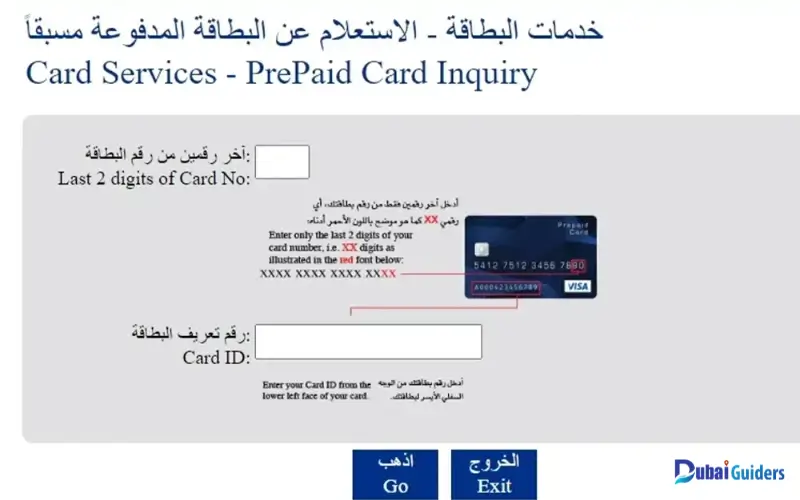
Ratibi works differently from a regular FAB bank account. FAB describes Ratibi as a salary payroll solution for employees who earn up to AED 5,000. Employees receive their salaries through a prepaid card without needing a regular bank account. If you have a Ratibi card, use the dedicated Ratibi balance enquiry service instead of using the normal current-account balance process.
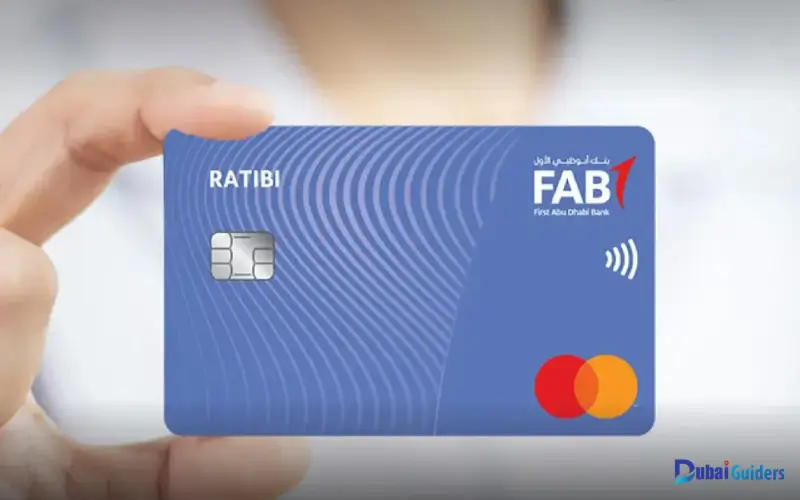
FAB Ratibi Balance Enquiry
FAB provides a specific Ratibi Prepaid Card Balance Enquiry option for existing Ratibi cardholders. Ratibi cardholders can also use their cards at ATMs and for purchases. FAB says the card provides access to ATM and cash deposit machine networks and sends SMS alerts when salary payments are credited.
FAB Ratibi Customer Service Number
FAB provides dedicated support for Ratibi customers.
| Service | Contact Number |
| Ratibi UAE | 600 52 2298 |
| Ratibi Outside UAE | +971 2 499 6279 |
These numbers appear on FAB’s current contact page.
How to Check FAB Salary Card Balance
If your employer pays your salary through a FAB Ratibi card, you should treat the card as a prepaid salary card rather than a normal bank account.
Steps to Check Ratibi Balance
- Open FAB’s Ratibi balance enquiry service.
- Enter the card details requested.
- Complete the required verification.
- View the available balance.
You can also contact Ratibi customer support if you have problems accessing the balance enquiry service.
FAB states that employers act as the main point of contact for employees using the Ratibi payroll service for certain matters.
How to Check FAB Prepaid Card Balance
FAB offers different prepaid card products, so the balance-check method can depend on the card you hold. Ratibi cardholders can use the dedicated Ratibi balance enquiry service. Other prepaid cards may have different account or card management options. Check the instructions for your specific FAB prepaid card before using another balance-check method.
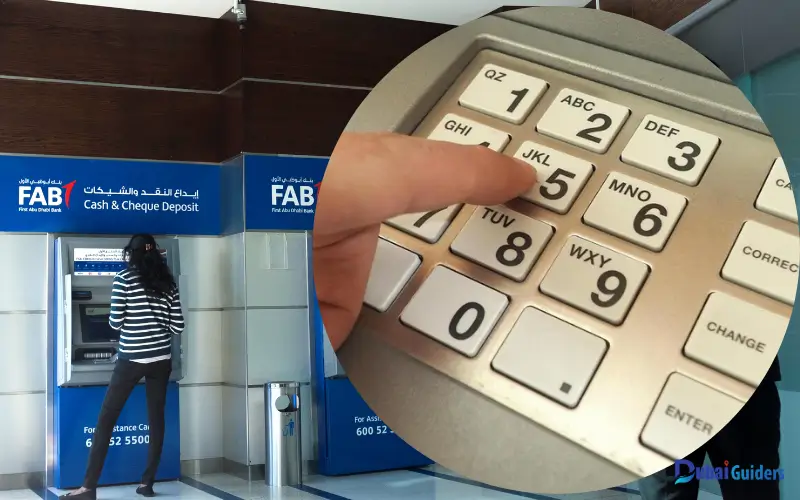
Can You Check FAB Balance at an ATM?
An ATM can help you access card and account services without using Online Banking.
Steps to Check Your Balance at an ATM
- Insert your FAB card.
- Enter your PIN.
- Review the options shown on the screen.
- Select the balance option if available.
- Follow the instructions.
- Take your card before leaving.
The options can vary between ATMs and card types, so follow the instructions displayed on the machine. Ratibi customers can also use ATM networks for card services. FAB states that Ratibi cardholders can withdraw and use their money through a wide range of ATM networks.
How to Check FAB Transaction History
Your transaction history can help you understand why your balance changes.
FAB Mobile provides transaction information and lets customers search and filter transactions. FAB says the app can show merchant names, logos, spending categories, and other transaction details.
Steps to Check FAB Transaction History
- Open FAB Mobile or Online Banking.
- Log in securely.
- Select the relevant account or card.
- Open the transaction section.
- Review recent activity.
Check your transaction history if your balance looks different from what you expected.
How Far Back Can You Check FAB Transactions?
FAB’s current FAB Mobile transaction feature allows customers to view transactions dating back to 1 March 2025. The app also lets customers search transactions by date, category, amount, merchant name, or card type.
What If Your FAB Balance Looks Wrong?
Your balance can change after payments, transfers, withdrawals, deposits, or card transactions.
A recent payment may also appear as a pending transaction before it fully completes. FAB explains that some credit card payments can appear as In Progress, while debit card payments may show as an Amount on hold during processing.
What to Do If the Balance Does Not Match
First, check your recent transactions. Look for pending payments, card purchases, transfers, or withdrawals.
If you still cannot explain the difference, contact FAB through an official support channel and ask the bank to review the account.
What If FAB Mobile Is Not Working?
If FAB Mobile does not open or you cannot log in, check your internet connection first.
Then try the following:
- Update the FAB Mobile app.
- Close and reopen the app.
- Check your phone’s internet connection.
- Try again after a short time.
- Check FAB’s service status.
- Contact FAB if the problem continues.
FAB’s current mobile banking information also provides a Forgot PIN option for customers who cannot remember their mobile banking PIN.
What If You Forget Your FAB Mobile PIN?
If you forget your FAB Mobile PIN, use the Forgot PIN option on the login screen.
Follow the instructions shown by FAB to restore access to your mobile banking account.
Do not ask another person to log in for you or share your PIN with anyone.
What If You Lose Your Phone?
Contact FAB as soon as possible if you lose a phone that has FAB Mobile installed.
FAB currently lists 600 52 5500 for customers inside the UAE and +971 2 681 1511 for customers outside the UAE.
You should also secure your phone and prevent anyone else from accessing your banking apps.
FAB Customer Service for Balance Check

Customer service can help if you cannot check your balance through the app, Online Banking, or another available channel.
FAB provides different contact numbers for different services, so use the number that matches your banking product.
General FAB Support
UAE: 600 52 5500
Outside UAE: +971 2 681 1511
Ratibi Support
UAE: 600 52 2298
Outside UAE: +971 2 499 6279
FAB lists the Ratibi numbers separately from its general support contacts.
When Should You Visit a FAB Branch?
You may need branch support if you cannot solve an account problem through digital banking or customer service.
A branch can help with account-related services, identity verification, and other banking requests.
Take your required identification and account information with you. The bank may ask you to complete verification before discussing account details.
FAB Balance Check Security Tips
Keep your banking information private whenever you check your balance.
- Use the official FAB Mobile app.
- Use the official FAB website for Online Banking.
- Never share your PIN.
- Never share your password.
- Never share an OTP or approval request.
- Avoid unknown banking links.
- Check the website address before entering your login details.
- Keep the FAB Mobile app updated.
- Review your transactions regularly.
- Contact FAB if you notice an unfamiliar transaction.
FAB also warns customers not to approve transactions they did not initiate. If you receive an unexpected approval request in the FAB Mobile app, review the transaction and decline it if you do not recognise it.
Frequently Asked Questions
How can I check my FAB bank balance?
You can check your FAB bank balance through FAB Mobile, Online Banking, an ATM, customer service, or a FAB branch.
How do I check my FAB balance online?
Log in to FAB Online Banking and open your account information to view your balance.
How do I check my FAB balance on my phone?
Open FAB Mobile, log in, select your account, and view the balance shown on the account screen.
How can I check my FAB credit card balance?
Open FAB Mobile or Online Banking, go to the Cards or Credit Cards section, and select your FAB credit card to view the available information.
How can I check my FAB Ratibi balance?
Use FAB’s Ratibi Prepaid Card Balance Enquiry service. Ratibi cardholders can also contact the dedicated Ratibi support team.
What is the FAB Ratibi customer service number?
The Ratibi customer service number is 600 52 2298 inside the UAE and +971 2 499 6279 outside the UAE.
Can I check my FAB balance without visiting a branch?
Yes. You can use FAB Mobile, Online Banking, an ATM, or customer service, depending on your FAB product.
Why is my FAB available balance different from my account balance?
Pending transactions, card payments, transfers, or amounts on hold can cause the available balance to differ from the total account balance.
Can I check my FAB balance using an ATM?
You can use a FAB ATM for available card and account services. The options depend on the card and ATM.
Can I check my FAB balance outside the UAE?
Yes. FAB states that customers can use FAB Mobile outside the UAE with Wi-Fi or mobile data.
What should I do if I cannot access FAB Mobile?
Check your internet connection, update the app, use the Forgot PIN option if needed, and contact FAB if you still cannot access your account.
What should I do if I see an unknown FAB transaction?
Check the transaction details first. If you do not recognise it, contact FAB through an official channel and report the transaction.